


Of course! The "error dede login.php" message is a very common issue for users of the DedeCMS (织梦CMS) content management system. It's not a single error but a category of problems that prevent you from accessing the admin login page.
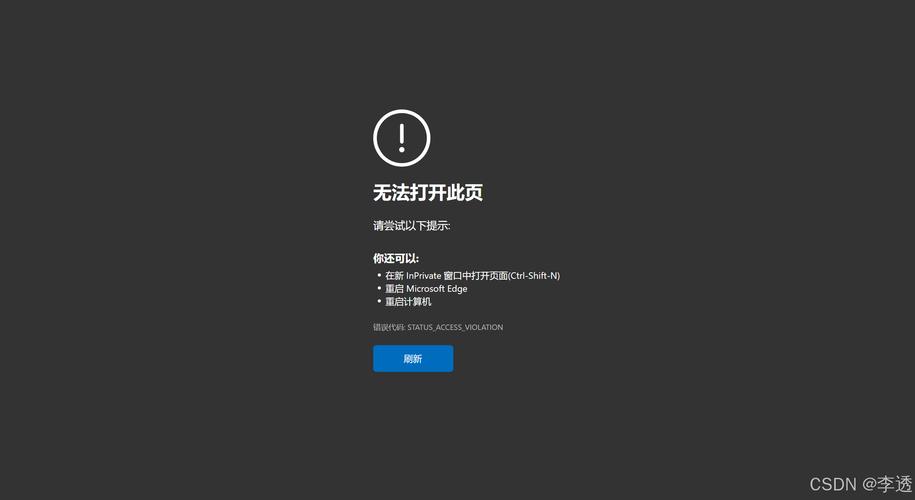
Let's break down the possible causes and their solutions, starting with the most common ones.
Understanding the Error
First, "error dede login.php" can mean several things. You might see:
- A blank white page.
- A "404 Not Found" error.
- A "500 Internal Server Error" page.
- A PHP error message (like a warning or fatal error).
- The login page loads, but you can't log in even with correct credentials.
The solution depends entirely on which of these you are experiencing.
Solution 1: The Most Common Cause - Incorrect File Permissions (777)
This is the #1 reason for login issues, especially after a fresh installation or migration. The web server (like Apache or Nginx) needs permission to read and write to certain files and directories to process the login and manage your site.

How to Fix:
You need to set the correct permissions for the following files and directories. Using an FTP client (like FileZilla) or your hosting control panel's file manager is the easiest way.
-
Directory Permissions: Set the following directories to
755./dede/(the admin folder)/data//uploads//templets/
-
File Permissions: Set the following files to
644. (图片来源网络,侵删)
/dede/login.php/dede/config.php/data/common.inc.php/data/config.cache.inc.php
-
Special Case -
config_update.php: This file is often targeted by hackers. If you can't log in, check if it exists. If it does, delete it immediately. It's often not needed after the initial setup and can be a major security risk.
Pro Tip: If you have shell access (SSH), you can run these commands to fix permissions quickly (replace /path/to/your/dedecms with your actual path):
# Set directories to 755
find /path/to/your/dedecms -type d -exec chmod 755 {} \;
# Set files to 644
find /path/to/your/dedecms -type f -exec chmod 644 {} \;
# Make the /data/ directory writable by the web server
chmod -R 777 /path/to/your/dedecms/data/
Solution 2: Incorrect Database Configuration
If the login page loads but you get an error like "用户不存在" (User does not exist) or "密码错误" (Incorrect password), your common.inc.php file might have the wrong database connection details.
How to Fix:
- Locate the file:
/data/common.inc.php - Download it to your computer and open it with a text editor (like Notepad++ or VS Code).
- Check the following variables and ensure they are 100% correct:
$cfg_dbhost = 'localhost'; // or your database host
$cfg_dbuser = 'your_database_username'; // Your database username
$cfg_dbpwd = 'your_database_password'; // Your database password
$cfg_dbname = 'your_database_name'; // Your database name
$cfg_dbprefix = 'dede_'; // The table prefix, usually 'dede_'
- Double-check for any typos. Pay special attention to the password, as it's case-sensitive.
- Save the file and upload it back to your server, overwriting the old one.
Solution 3: PHP Version and Configuration Issues
DedeCMS is an older system and may not be compatible with the latest PHP versions (like PHP 8.0+). A new PHP version can cause fatal errors that prevent the login page from loading.
How to Fix:
- Check Your PHP Version: Create a file named
info.phpin your website's root directory and add this code:<?php phpinfo(); ?>. Access it in your browser (e.g.,www.yoursite.com/info.php). Note the "PHP Version". - Switch to a Compatible PHP Version: Log in to your hosting control panel (cPanel, Plesk, etc.) and find the "Select PHP Version" or "MultiPHP Manager" tool. Change the PHP version for your domain to a more compatible one, such as PHP 7.4 or PHP 8.0. PHP 7.4 is generally the most stable for older versions of DedeCMS.
Solution 4: Corrupted or Missing Files
Sometimes, files can get corrupted during a failed FTP upload or a server migration. The login.php file itself might be damaged.
How to Fix:
- Re-upload the
dedefolder: Download a fresh, clean copy of DedeCMS from the official website. - Extract the archive on your computer.
- Find the
dedefolder inside the extracted files. - Upload this entire
dedefolder to your server, overwriting the existing one. This will replace any potentially corrupted files with fresh copies.
Solution 5: Server-Side Errors (500, 404)
-
500 Internal Server Error: This is a server-side problem. It often points to incorrect
.htaccessfile permissions or content, or a PHP memory limit that is too low.- Check
.htaccess: Rename your website's root.htaccessfile to.htaccess_oldand try to log in. If it works, the problem is in that file. You may need to adjust its rules or restore it from a backup. - Increase PHP Memory: Contact your hosting provider and ask them to increase the
memory_limitin yourphp.inifile to at least128M.
- Check
-
404 Not Found: This means the server cannot find the
login.phpfile. This is almost always a file path issue. Make sure the file is located at/dede/login.phpand that the folder name is exactlydede.
Troubleshooting Checklist
If you're still stuck, go through this checklist:
- ✅ Permissions: Have I set
/dede/,/data/,/uploads/to755and files inside them to644? - ✅
config_update.php: Have I deleted/dede/config_update.php? - ✅ Database Config: Have I checked
/data/common.inc.phpfor typos in the database details? - ✅ PHP Version: Is my site's PHP version compatible (try 7.4)?
- ✅ Re-upload: Have I re-uploaded the entire
/dede/folder from a fresh DedeCMS package? - ✅ Clean Cache: Have I cleared all browser cache and tried a different browser?
- ✅ Check Logs: Have I checked my server's error logs (usually found in cPanel under "Error Logs") for a specific error message? This will give you the exact cause.
By methodically working through these solutions, you should be able to identify and fix the problem preventing you from logging into your DedeCMS backend.


