


Of course! You're asking about dede_feedback, which is a core table in the DedeCMS (织梦内容管理系统) content management system. It's a crucial part of how DedeCMS handles user interaction.

Here’s a detailed breakdown of what dede_feedback is, its structure, and how it's used.
What is dede_feedback?
In simple terms, dede_feedback is the database table that stores all user comments and feedback on your website.
When a visitor leaves a comment on an article, a photo, a software download, or any other piece of content on a DedeCMS site, that comment is saved as a new record in this table.
It's the backend foundation for the "评论" (Comment) system.
Key Characteristics
- Purpose: To store user-generated comments and feedback.
- Scope: Site-wide. It's used for comments on articles (
archives), images (addonimages), downloads (downloads), and more. - Relationship: Each feedback record is linked to a specific piece of content on the site via its
aid(article ID) field. - Moderation: The table includes fields to manage the status of comments, such as whether they are approved (
ischeck), pending review, or marked as spam.
Database Structure (dede_feedback table fields)
Understanding the columns of this table is key to understanding how it works. Here are the most common fields you'll find:
| Field Name | Data Type | Description |
|---|---|---|
id |
int(10) unsigned |
Primary Key. The unique auto-incrementing ID for each comment record. |
aid |
int(10) unsigned |
Foreign Key. The ID of the article or content item being commented on. This links to the dede_archives table or other addon tables. |
typeid |
smallint(5) unsigned |
The ID of the category the content belongs to. |
username |
char(20) |
The name of the user who left the comment. Can be a registered member or a guest. |
arctitle |
varchar(80) |
The title of the article being commented on. This is often stored for quick reference and performance, so the site doesn't have to join with the archives table every time it displays comments. |
email |
char(50) |
The email address provided by the commenter (optional, often for guests). |
ip |
char(20) |
The IP address of the user who left the comment. Useful for moderation and security. |
ischeck |
tinyint(1) unsigned |
Crucial for moderation. The approval status of the comment. • 0 = Pending review (default for new comments). • 1 = Approved and publicly visible. • -1 = Rejected/Deleted. |
dtime |
int(10) unsigned |
The Unix timestamp of when the comment was submitted. |
mid |
int(10) unsigned |
The ID of the member who left the comment. 0 if the comment was left by a guest (not a logged-in user). |
bad |
int(10) unsigned |
The number of "bad" votes or reports the comment has received (used for spam filtering). |
good |
int(10) unsigned |
The number of "good" votes or "likes" the comment has received. |
face |
char |
The avatar or emoticon chosen by the user for their comment. |
msg |
text |
The actual content of the comment. This is the main body text. |
How It Works: A Typical Workflow
-
User Submits a Comment: A visitor reads an article and types a comment into the form at the bottom. They click "Submit".
-
Data Insertion: The DedeCMS backend takes the form data (name, email, comment text) and creates a new row in the
dede_feedbacktable.aidis set to the ID of the article they are on.msgis set to their comment text.usernameandemailare set from the form.ipis set to their IP address.ischeckis set to0(pending approval).dtimeis set to the current timestamp.
-
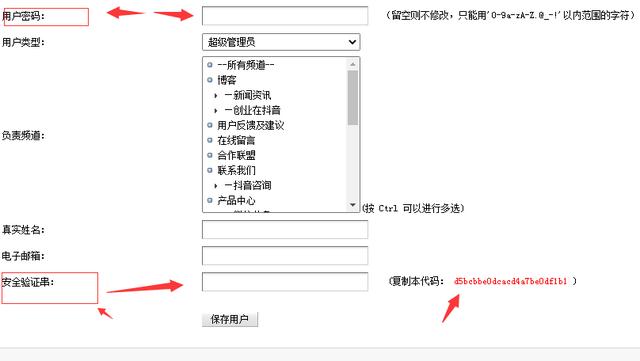
Moderation (by Admin):
 (图片来源网络,侵删)
- The site administrator goes to the "Comments" section in the DedeCMS backend.
- They see a list of all comments with
ischeck = 0. - The admin can then choose to:
- Approve the comment: This changes
ischeckto1, and the comment becomes visible on the public-facing website. - Reject/Trash the comment: This changes
ischeckto-1, and the comment is hidden from the front end.
- Approve the comment: This changes
-
Displaying Comments on the Front End:
- When an article page is loaded, DedeCMS runs a database query on
dede_feedback. - The query typically looks something like this:
SELECT * FROMdede_feedbackWHEREaid= [current_article_id] ANDischeck= 1 ORDER BYdtimeASC. - This fetches only the approved comments for that specific article and displays them on the page.
- When an article page is loaded, DedeCMS runs a database query on
Common Uses for Developers
If you are a developer working with a DedeCMS site, you might interact with this table for:
- Custom Comment Displays: Creating a custom template or component to show comments in a unique way.
- Importing/Exporting Comments: Moving comments from one site to another.
- Building a Moderation Panel: Creating a custom backend tool for managing comments.
- Analytics: Writing scripts to analyze comment activity, popular articles, etc.
- Custom Fields: Adding your own fields to the table (e.g.,
rating,parent_idfor threaded replies) to extend functionality.
Summary
dede_feedback is the central repository for all user comments in DedeCMS. Its structure is designed to link comments to specific content, capture user information, and, most importantly, provide a robust moderation system through the ischeck field. Understanding this table is fundamental to managing and customizing the comment functionality on any DedeCMS website.


