


Of course! "Dede Pagelist" refers to the {dede:pagelist} tag in the DedeCMS (织梦CMS) content management system. It's a powerful and flexible tag used to generate a list of pagination links (page numbers, "Next", "Previous", etc.) for articles, lists, and other paginated content.
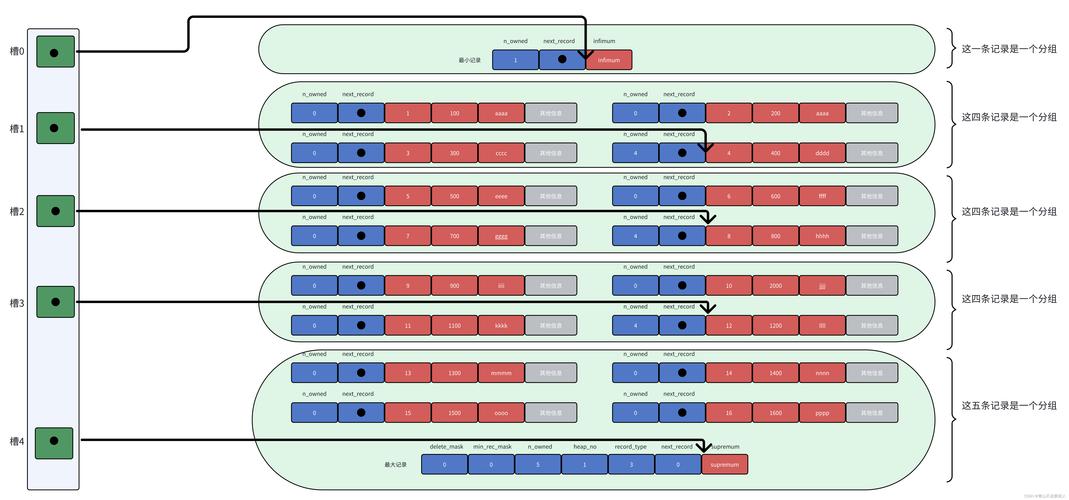
Here’s a comprehensive guide covering its purpose, usage, attributes, and examples.
What is {dede:pagelist}?
When you have a long article or a list of articles (like a category or search result), DedeCMS automatically splits the content into multiple pages to improve loading speed and readability. The {dede:pagelist} tag is used to display the navigation links that allow users to move between these pages.
It's commonly placed within the list_articled.htm or article_article.htm templates.
Basic Syntax
The tag is very simple to use. You can place it directly in your template file:
{dede:pagelist listsize='3' listitem='index pre pageno next end'/}
This single line will generate a complete pagination navigation bar.
Core Attributes
The functionality and appearance of the pagelist are controlled by its attributes. Here are the most important ones:
A. listitem (Most Important)
This attribute defines which items to display in the pagelist. You can combine multiple items by separating them with a space.
| Item | Description | Example Output |
|---|---|---|
index |
Link to the first page (首页) | [首页] |
pre |
Link to the previous page (上一页) | [上一页] |
pageno |
A list of page numbers (页码) | [1] [2] [3] ... |
next |
Link to the next page (下一页) | [下一页] |
end |
Link to the last page (末页) | [末页] |
option |
A dropdown "Go to" menu | A <select> dropdown box |
info |
Shows current page info (e.g., "1/10") | 共10页 1/10 |
Example:
listitem='index pre pageno next end info'
This will display: [首页] [上一页] [1] [2] [3] ... [下一页] [末页] 共10页 1/10
B. listsize
This attribute sets the number of page numbers to display around the current page. The default value is 3.
- If you are on page 5 and
listsizeis 3, it will show pages 2, 3, 4, 5, 6, 7, 8. - If you are on page 2 and
listsizeis 3, it might show page 1, 2, 3, 4, 5.
C. listitemtype
This attribute controls the HTML tag used for each item in the list. The default is option.
| Value | Description |
|---|---|
option (Default) |
Wraps each item in an <option> tag (used for the dropdown). |
link |
Wraps each item in an <a> tag (standard link). |
text |
Displays the item as plain text, not a link. |
D. liststyle
This attribute sets the CSS class for the container <ul> or <ol> list. The default is pagelist.
- If you use
liststyle='my-pagination', the generated HTML will be:<ul class='my-pagination'> <li><a href='...'>1</a></li> ... </ul>
This is very useful for customizing the appearance with CSS.
E. addfields
This attribute allows you to pass custom fields from the article to the paginated pages. This is useful for SEO, as it can help maintain a consistent page title or meta description.
- Example:
addfields='writer,source'This passes thewriterandsourcefields to all paginated pages.
F. setautourl
This attribute automatically generates the URL for each page. It's enabled by default (='yes'). You usually don't need to change this.
Practical Examples
Example 1: Standard Pagination
This is the most common setup, showing first/last, previous/next, and numbered pages.
<div class="pagination">
    {dede:pagelist listitem='index pre pageno next end' listsize='3' liststyle='pagination-list'}
</div>
Example 2: Minimal Pagination
Sometimes you only want "Previous" and "Next" buttons.
<div class="nav-links">
    {dede:pagelist listitem='pre next' liststyle='nav-links-list'}
</div>
Example 3: SEO-Friendly Pagination with Dropdown
This example includes the info text and a dropdown for easy navigation.
<div class="article-pagination">
    <span>{dede:pagelist listitem='info' listitemtype='text'/}</span>
    {dede:pagelist listitem='option' listitemtype='option'/}
</div>
Example 4: Full Customization with liststyle
To get full control over the HTML output, use liststyle and target it with CSS.
<!-- In your template (e.g., article_article.htm) -->
<ul class="my-page-numbers">
    {dede:pagelist listitem='index pre pageno next end' liststyle='my-page-numbers'}
</ul>
CSS to style it:
.my-page-numbers {
    display: flex;
    list-style: none;
    padding: 0;
    gap: 5px;
}
.my-page-numbers li {
    padding: 5px 10px;
    border: 1px solid #ddd;
    border-radius: 3px;
}
.my-page-numbers a {
    text-decoration: none;
    color: #333;
}
.my-page-numbers a:hover {
    color: #007bff;
}
.my-page-numbers .thisclass { /* The class for the current page */
    background-color: #007bff;
    color: white;
    border-color: #007bff;
}
Note: DedeCMS automatically adds a class="thisclass" to the <li> tag of the current page, which is very helpful for styling.
Troubleshooting Common Issues
-
"Pagelist is not showing"
- Cause: The tag is in the wrong template file. Make sure it's in a template that is used for paginated content, like
article_article.htm(for single articles) orlist_articled.htm(for category lists). - Cause: The article/list isn't long enough to be paginated. DedeCMS will only show the pagelist if there is more than one page.
- Cause: The tag is in the wrong template file. Make sure it's in a template that is used for paginated content, like
-
"The styling is wrong"
- Cause: The default CSS from your theme is conflicting with your custom styles. Use a specific
liststyleclass name (likemy-pagination) to avoid conflicts and ensure your CSS is specific enough.
- Cause: The default CSS from your theme is conflicting with your custom styles. Use a specific
-
"The links are broken or lead to 404 pages"
- Cause: This is often a URL rewrite or SEO-related issue. Ensure your
.htaccessfile (for Apache) orweb.config(for IIS) is correctly configured for DedeCMS's URL rewriting rules. Theaddfieldsattribute can also help if the issue is related to losing custom field data on subsequent pages.
- Cause: This is often a URL rewrite or SEO-related issue. Ensure your
Summary
The {dede:pagelist} tag is essential for user navigation in DedeCMS. By mastering its attributes, especially listitem and liststyle, you can create a pagination system that is both functional and perfectly integrated into your website's design.


