


“我喜欢网”的风格特点是:
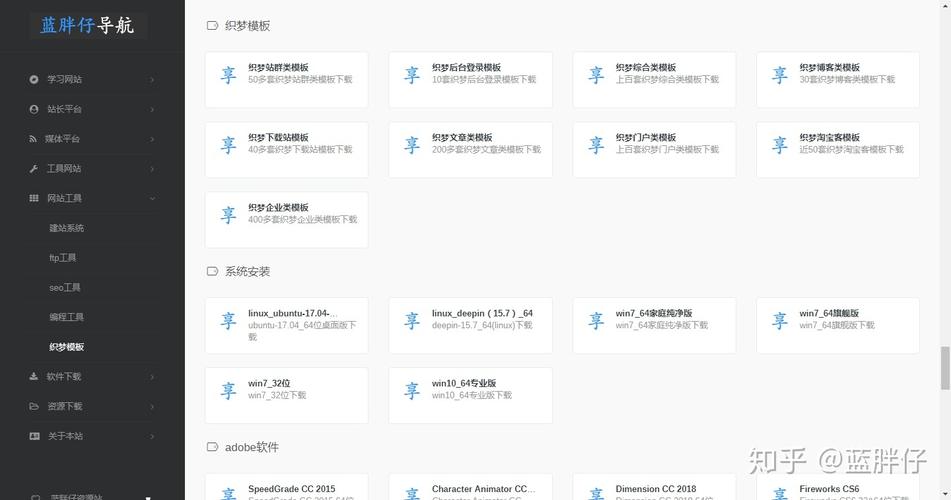
(图片来源网络,侵删)
- 极简主义: 大量留白,布局干净。
- 优雅的排版: 注重字体、字号和行间距,阅读体验极佳。
- 柔和的色彩: 通常以黑白灰为主,辅以少量点缀色(如暖黄、浅绿等)。
- 卡片式设计: 内容以卡片形式呈现,结构清晰。
- 响应式: 在不同设备上都能良好显示。
我们将围绕这些核心特点来构建我们的“织梦”模板。
第一步:项目结构与准备
我们需要创建一个基本的项目文件夹结构。
wo-de-zhi-meng/
├── index.html          # 主页面
├── css/
│   └── style.css       # 所有样式文件
├── js/
│   └── script.js       # 所有交互脚本
└── images/             # 存放图片的文件夹
    ├── avatar.jpg      # 你的头像
    ├── post1.jpg      # 文章配图
    └── ...
准备好你的头像和一些示例图片,放到 images 文件夹中。
第二步:HTML 骨架 (index.html)
这是网站的骨架,定义了页面的结构和内容,我们将使用语义化的 HTML5 标签。
(图片来源网络,侵删)
<!DOCTYPE html>
<html lang="zh-CN">
<head>
    <meta charset="UTF-8">
    <meta name="viewport" content="width=device-width, initial-scale=1.0">织梦 - 我的小世界</title> <!-- 修改成你喜欢的标题 -->
    <link rel="stylesheet" href="css/style.css">
    <!-- 引入一个优雅的字体,Google Fonts -->
    <link rel="preconnect" href="https://fonts.googleapis.com">
    <link rel="preconnect" href="https://fonts.gstatic.com" crossorigin>
    <link href="https://fonts.googleapis.com/css2?family=Noto+Serif+SC:wght@400;600&family=ZCOOL+XiaoWei&display=swap" rel="stylesheet">
</head>
<body>
    <div class="container">
        <!-- 侧边栏/个人信息 -->
        <aside class="sidebar">
            <div class="profile">
                <img src="images/avatar.jpg" alt="我的头像" class="avatar">
                <h1 class="site-title">织梦</h1>
                <p class="site-description">记录生活,编织梦想。</p>
                <nav class="nav">
                    <a href="#home">首页</a>
                    <a href="#about">lt;/a>
                    <a href="#archive">归档</a>
                    <a href="#contact">联系</a>
                </nav>
            </div>
        </aside>
        <!-- 主内容区 -->
        <main class="main-content">
            <article class="post-card">
                <img src="images/post1.jpg" alt="文章配图" class="post-image">
                <div class="post-content">
                    <h2 class="post-title">第一篇:关于开始</h2>
                    <p class="post-excerpt">万事开头难,但更难的是下定决心开始,我决定开启这个名为“织梦”的小站...</p>
                    <span class="post-date">2025年10月26日</span>
                </div>
            </article>
            <article class="post-card">
                <img src="images/post2.jpg" alt="文章配图" class="post-image">
                <div class="post-content">
                    <h2 class="post-title">午后阳光与一杯咖啡</h2>
                    <p class="post-excerpt">阳光透过窗帘的缝隙,在桌上投下斑驳的光影,手边的咖啡正冒着热气,一切都显得那么宁静...</p>
                    <span class="post-date">2025年10月25日</span>
                </div>
            </article>
            <article class="post-card">
                <img src="images/post3.jpg" alt="文章配图" class="post-image">
                <div class="post-content">
                    <h2 class="post-title">代码之美</h2>
                    <p class="post-excerpt">在编写代码的过程中,我感受到了一种独特的秩序与美感,一行行逻辑,如同诗篇...</p>
                    <span class="post-date">2025年10月24日</span>
                </div>
            </article>
        </main>
    </div>
    <script src="js/script.js"></script>
</body>
</html>
第三步:CSS 样式 (css/style.css)
这是网站的灵魂,负责实现“我喜欢网”的极简、优雅风格。
/* --- 全局与重置 --- */
* {
    margin: 0;
    padding: 0;
    box-sizing: border-box;
}
body {
    font-family: 'Noto Serif SC', serif; /* 使用优雅的衬线字体 */
    background-color: #fdfdfd; /* 极浅的背景色,接近白色 */
    color: #333;
    line-height: 1.8; /* 舒适的行高 */
    -webkit-font-smoothing: antialiased; /* 字体抗锯齿 */
}
.container {
    display: flex;
    max-width: 1200px;
    margin: 2rem auto;
    padding: 0 1rem;
    gap: 2rem;
}
/* --- 侧边栏 --- */
.sidebar {
    flex: 0 0 280px; /* 固定宽度 */
    padding: 2rem 0;
}
.profile {
    text-align: center;
    padding-bottom: 2rem;
    border-bottom: 1px solid #eee;
}
.avatar {
    width: 120px;
    height: 120px;
    border-radius: 50%;
    margin-bottom: 1.5rem;
    object-fit: cover;
    border: 2px solid #eee;
}
.site-title {
    font-family: 'ZCOOL XiaoWei', serif; /* 标题用另一种字体 */
    font-size: 2.5rem;
    font-weight: normal;
    margin-bottom: 0.5rem;
    letter-spacing: 0.1em;
}
.site-description {
    font-size: 1rem;
    color: #777;
    margin-bottom: 2rem;
}
.nav a {
    display: block;
    text-decoration: none;
    color: #555;
    padding: 0.8rem 1rem;
    margin: 0.5rem 0;
    border-radius: 5px;
    transition: all 0.3s ease;
}
.nav a:hover {
    background-color: #f0f0f0;
    color: #333;
}
/* --- 主内容区 --- */
.main-content {
    flex: 1; /* 占据剩余所有空间 */
}
.post-card {
    background: #fff;
    border-radius: 8px;
    overflow: hidden;
    box-shadow: 0 1px 3px rgba(0,0,0,0.05);
    margin-bottom: 2rem;
    transition: transform 0.3s ease, box-shadow 0.3s ease;
}
.post-card:hover {
    transform: translateY(-5px);
    box-shadow: 0 5px 15px rgba(0,0,0,0.1);
}
.post-image {
    width: 100%;
    height: 250px;
    object-fit: cover;
}
.post-content {
    padding: 2rem;
}
.post-title {
    font-size: 1.8rem;
    margin-bottom: 1rem;
    font-weight: normal;
}
.post-excerpt {
    font-size: 1.1rem;
    color: #666;
    margin-bottom: 1rem;
}
.post-date {
    font-size: 0.9rem;
    color: #aaa;
}
/* --- 响应式设计 --- */
@media (max-width: 768px) {
    .container {
        flex-direction: column;
        margin: 1rem auto;
    }
    .sidebar {
        flex: 1;
        text-align: center;
        padding: 1rem 0;
        border-bottom: none;
        margin-bottom: 2rem;
    }
    .profile {
        border-bottom: 1px solid #eee;
        padding-bottom: 1rem;
    }
    .nav {
        display: flex;
        justify-content: center;
        flex-wrap: wrap;
    }
    .nav a {
        margin: 0.3rem;
    }
}
第四步:JavaScript 交互 (js/script.js)
为了让网站更有趣,我们可以添加一些简单的交互效果,比如点击文章卡片后跳转到详情页,目前我们先实现一个平滑滚动效果。
// document.addEventListener('DOMContentLoaded', function() {
//     const navLinks = document.querySelectorAll('.nav a');
//     const postCards = document.querySelectorAll('.post-card');
//     // 为导航链接添加点击事件,实现平滑滚动
//     navLinks.forEach(link => {
//         link.addEventListener('click', function(e) {
//             e.preventDefault();
//             // 这里可以扩展为单页应用的逻辑
//             // 通过改变 main-content 的内容来切换页面
//             // 目前只是做一个提示
//             console.log(`导航到: ${this.getAttribute('href')}`);
//         });
//     });
//     // 为文章卡片添加点击事件
//     postCards.forEach(card => {
//         card.addEventListener('click', function() {
//             // 这里可以跳转到文章详情页
//             // window.location.href = 'post1.html';
//             alert('这里将跳转到文章详情页');
//         });
//     });
// });
// 由于我们目前是静态页面,JS可以暂时为空,或者保留上面的注释代码以备将来扩展。
// 为了简单起见,我们先让它空着。
第五步:进阶与扩展
恭喜!你已经拥有了一个基础版的“织梦”模板,接下来你可以根据喜好进行扩展:
-
创建文章详情页 (
post.html): (图片来源网络,侵删)
- 复制
index.html。 - 移除侧边栏,只保留
main-content。 - 在
main-content中,用一篇文章的完整内容(标题、正文、图片等)替换掉post-card。
- 复制
-
添加暗黑模式:
- 在 CSS 中添加一个
.dark-theme类,并定义对应的颜色(如背景#1a1a1a,文字#f0f0f0)。 - 在 HTML 的侧边栏添加一个切换按钮。
- 用 JavaScript 监听按钮点击事件,给
body添加或移除.dark-theme类。
- 在 CSS 中添加一个
-
实现动态加载:
- 将文章数据(标题、日期、图片)存放在一个 JavaScript 数组中。
- 用 JavaScript 动态生成
post-cardHTML 元素并插入到页面中,这样你就可以轻松地增减文章,而无需手动修改 HTML。
-
美化滚动条:
- 在 CSS 中添加以下代码,让你的滚动条也变得优雅:
/* Webkit 浏览器 (Chrome, Safari) */
::-webkit-scrollbar {
width: 8px;
}
::-webkit-scrollbar-track {
background: #f1f1f1;
}
::-webkit-scrollbar-thumb {
background: #888;
border-radius: 4px;
}
::-webkit-scrollbar-thumb:hover {
background: #555;
}
- 在 CSS 中添加以下代码,让你的滚动条也变得优雅:
这个模板为你提供了一个坚实的起点,你可以自由地修改颜色、字体、布局,让它真正成为你自己的“织梦”之地,祝你玩得开心!


